Question 5
App launch time
Cold launch is slower than expected. How do you improve it, and what mistakes do teams make?
Follow-ups
- What should be deferred?
- What should never run at launch?
- How do you measure launch reliably?
Answer outline
Measure first, then work through the costs from largest to smallest, because without a baseline you can't tell whether a change helped. The work splits into four parts:
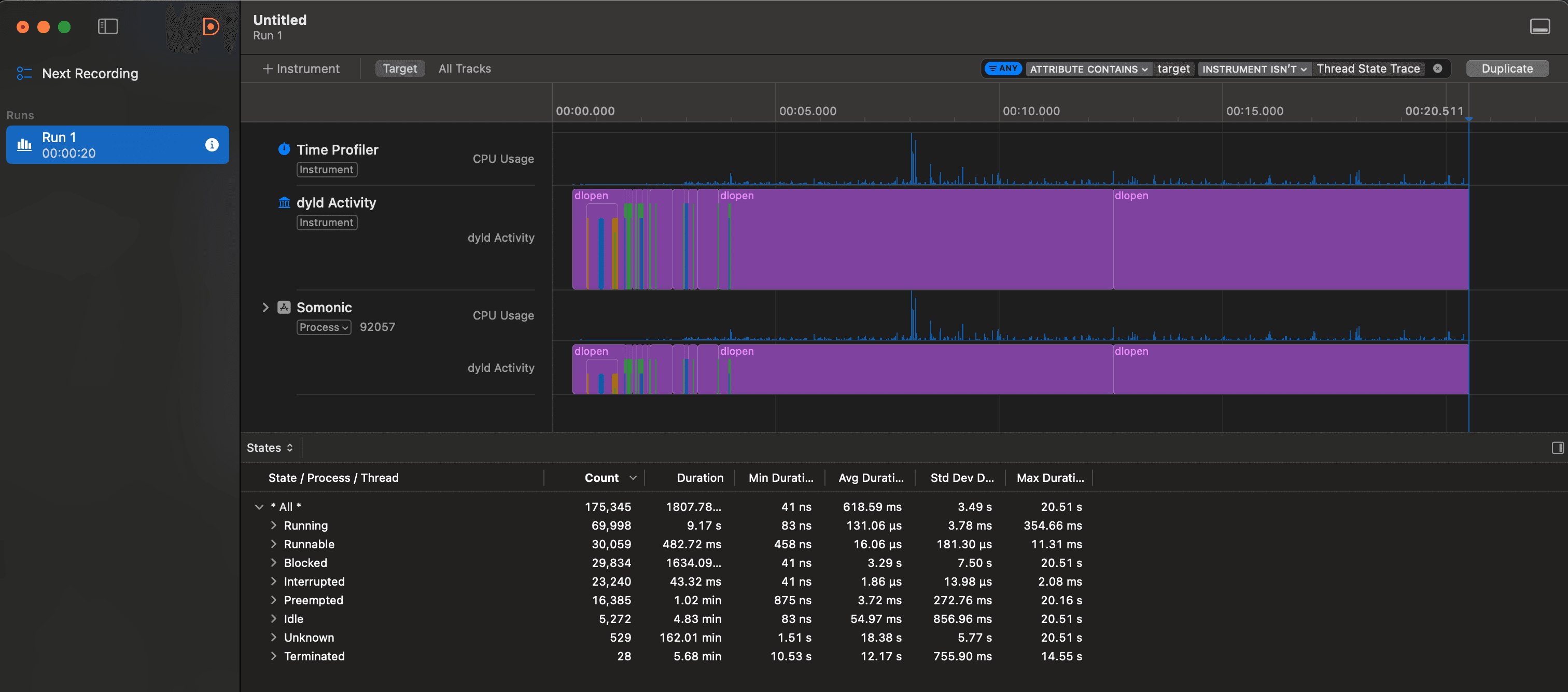
- 1.Measure: Xcode Organizer shows real-world launch times collected through MetricKit, and the App Launch template in Instruments shows where the time goes on your device. Compare before and after on the same OS and device.
- 2.Common costs: Objective-C
+loadmethods, C++ static initializers, and every extra dynamic framework add work beforemain()runs, and timings that start atdidFinishLaunchingWithOptionsmiss all of it. Heavy singleton setup, synchronous file I/O, network on the critical path, and large storyboard graphs do the rest. - 3.Defer: anything the first frame doesn't need, such as feature flag fetches, analytics batching, secondary SDK setup, and cache warming. Run it asynchronously once the app is interactive.
- 4.Never at launch: blocking network calls for non-critical data, a full database migration that blocks the UI with no progress indicator, and debug-only work left in Release builds.
The mistake teams make most often is treating didFinishLaunchingWithOptions as the place to set up everything. All of that work sits between the tap and the first frame, so keep it to what the first screen needs and schedule the rest.
Principles
- Reach an interactive first frame, then move everything else to async work after launch.
- Lazy services behind protocols cost nothing until the feature that needs them runs.
- Measure cold launches on a real device, ideally after a reboot, because warm launches and the simulator hide most of the cost.
- Work before
main()is invisible from the app delegate, so count dynamic frameworks and+loadmethods first.
Start the remote config refresh and return immediately, so the launch path never waits on the network:
Defer non-critical setup
func application(
    _ application: UIApplication,
    didFinishLaunchingWithOptions launchOptions: [UIApplication.LaunchOptionsKey: Any]?
) -> Bool {
    // Not needed for the first frame, so don't await it here
    Task { await RemoteConfig.shared.refresh() }
    return true
}
Follow-up angles
- Every third-party SDK costs its own setup call and any initializers it runs before
main(). One that ships as a dynamic framework also adds a dyld image load, so audit how many you ship and how they're linked.